

UKC1 Display vs SW900: Compatibility & SW900 Settings
In this article
Short answer
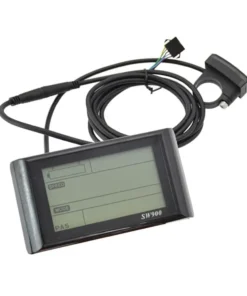
The UKC1+ is a colour display rated 36V to 72V and listed with our hub-motor controllers. The SW900 is a cheaper three-button LCD for standard UART hub controllers (24V to 72V); it will not work with KT or Bafang controllers. After fitting an SW900, set battery voltage (P03) and wheel size (P06) first.
How an E-Bike Display Pairs With a Controller
A display is the control panel for the controller: it sends the assist level you choose and shows what the controller reports back. That two-way link is why the two must match, and three things decide it.
1. The protocol (the language)
- Generic UART hub-motor controllers: the SW900 uses a standard UART link, with separate receive and transmit wires. Our SW900 page says it does not work with KT controllers, which use their own protocol.
- Bafang UART: the classic BBS01, BBS02 and BBSHD set-up. It is Bafang’s own version of UART, so a generic display like the SW900 won’t work with it.
- Bafang CAN-BUS: the newer protocol. Our Bafang kit pages state that UART and CAN-BUS parts are not interchangeable: a UART display won’t work on a CAN-BUS motor, and the other way round.
With the wrong protocol you typically get a communication error, or a motor that never responds.
2. The connector (the plug)
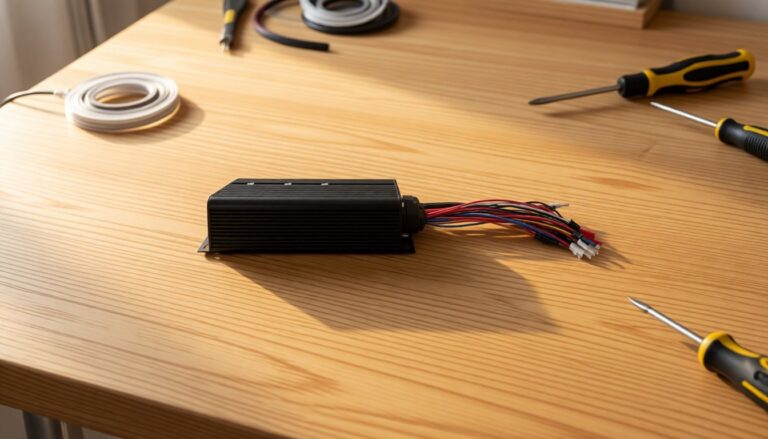
The SW900 uses seven wires: a 5-pin main connector, plus a separate 2-wire lead for light control. The UKC1+ product photos show two versions, one with a multi-pin SM plug and one with a round waterproof (WP) plug, so check which one is on your controller loom before you order. Don’t cut and re-pin a loom unless you know the pin-out on both sides. Swapped data wires are a classic reason a “compatible” display won’t work. The SW900 Colourful page says it suits both waterproof and ordinary controllers.
3. The voltage range
The display runs on battery voltage, so its rated range has to cover your battery, and a 72V pack reaches about 84V when full. A display listed only for 36V/48V is the wrong choice for a 52V or 72V build. Some displays, the SW900 included, also have to be told the battery voltage in their settings, or the battery gauge reads wrong.
All 7 E-Bike LCD Displays We Sell, Compared
Every display in our e-bike displays range, using only what each product page and its photos state. Prices are approximate.
| Display | Made for | Screen | Voltage (as listed) | Other details | Approx. price (Oct 2026) |
|---|---|---|---|---|---|
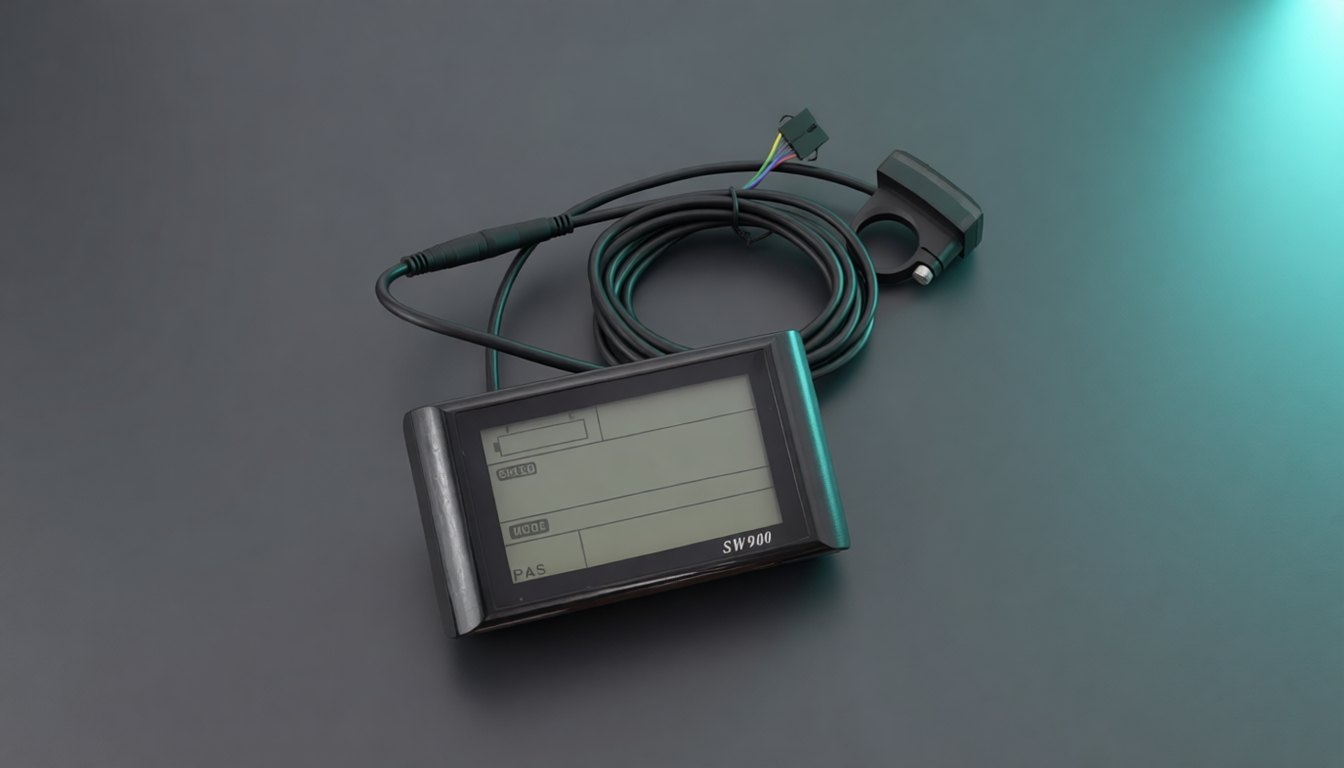
| SW900 | Hub-motor kits with standard UART controllers (not KT, not Bafang) | Large LCD, size not stated | 24V–72V, set in the menu | 3 buttons, IP65, USB 5V/500mA, 22.2 or 25.4 mm bar clamp | £39.90 |
| SW900 Colourful | Rear and front hub-motor wheels | Colour LCD, size not stated | 24V / 36V / 48V / 60V | 5-pin plug, ABS case, 218 g | £39.90 |
| UKC1+ | Listed with our 30A–60A hub controllers and 2000W colour kits; protocol not stated | Colour screen (from photos), size not stated | 36V–72V | Separate button pad, SM or waterproof plug, USB port (photos) | £69.99 |
| DZ41 | Bafang BBS01, BBS02, BBSHD | Compact backlit LCD | 36V / 48V | IP65, about 61 g, about 23 mm bracket | £29.90 |
| 600C | Bafang BBS01, BBS02, BBSHD | 2.2-inch IPS (TFT LCD), colour | 24V / 36V / 48V / 52V | Adjustable brightness, km/mile, average and max speed | £59.90 |
| P850C | Bafang BBS01, BBS02, BBSHD | 3.2-inch IPS colour | 24V / 36V / 48V | 3, 5 or 9 assist levels, USB 5V/500mA, clock and ride time | £65 |
| DPC-18 | Bafang BBS01, BBS02, BBSHD | LCD, size not stated | 36V / 43V / 48V | IP65, 5-key keypad, automatic light sensor, 5 backlight levels | £75 |
- CAN-BUS Bafang owners: none of our Bafang display pages claim CAN-BUS compatibility. Message us before buying a spare.
- 52V Bafang builds: the DZ41, P850C and DPC-18 pages top out at 48V; the 600C lists 52V. Ask us before choosing.
What to look for in an e-bike LCD display
- Protocol and plug first. Screen size and colour come last.
- Water resistance. IP65 means dust-tight and protected against water jets, fine for a Welsh winter but not for pressure-washing the bars. If a page gives no IP rating, ask.
- Bar fit. Most flat bars are 22.2 mm at the grips; the SW900 also takes 25.4 mm.
UKC1 vs SW900: Head to Head
What is the UKC1 display?
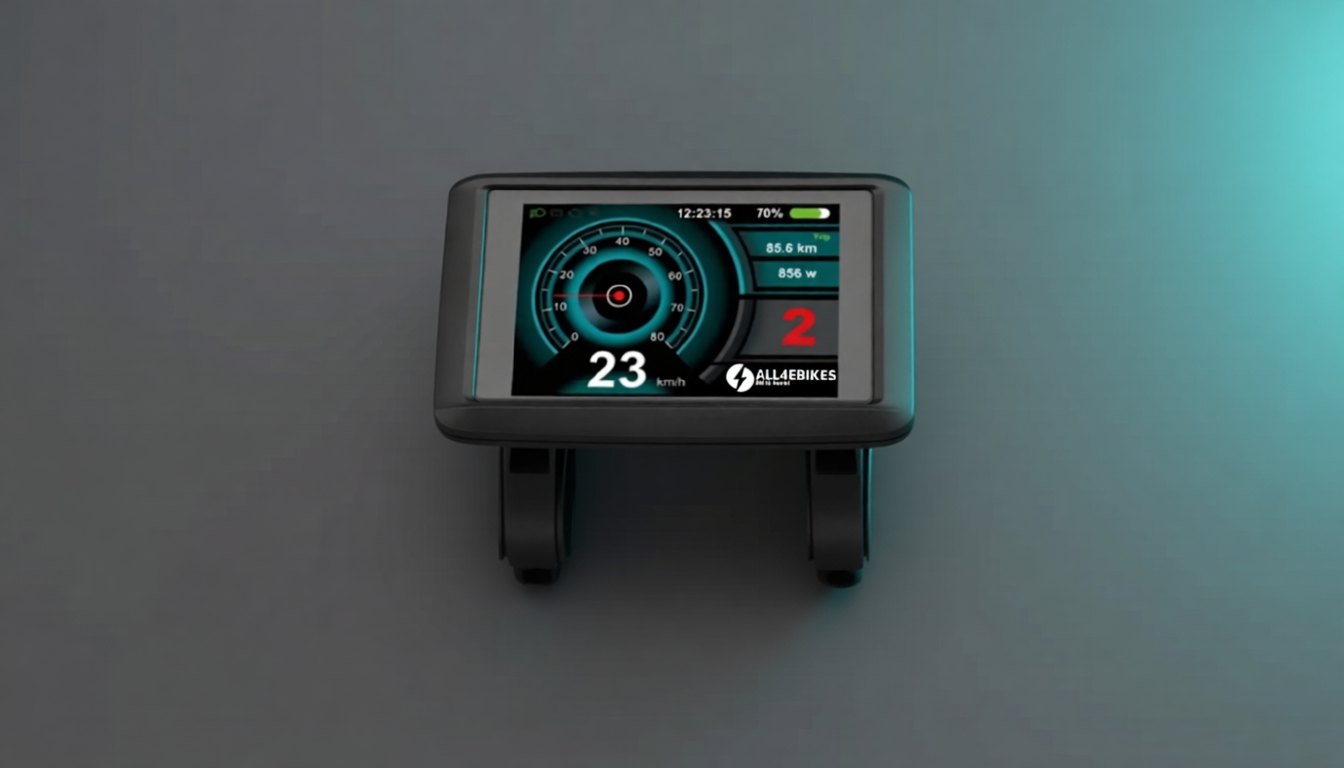
You will see it sold as the UKC1 or UKC1+; ours is the UKC1+. Its page describes a multifunction LCD with backlight, mode switching, error-code display and assist-level adjustment, for 36V–72V bikes. The photos show a colour screen and a separate button pad. Our 30A, 35A, 45A and 60A hub controller pages list it and the SW900 as compatible, “depending on your wiring and system configuration”.
UKC1 vs SW900 at a glance
| SW900 | UKC1+ | |
|---|---|---|
| Screen | Large LCD (monochrome in the product photo) | Colour screen (product photos) |
| Voltage | 24V–72V systems; set yours in the menu | 36V–72V |
| Protocol | Standard UART; not KT or Bafang | Not stated on the product page |
| Buttons | 3 (Up, M, Down) on a bar-mounted pad | Separate pad with power, +, − and M (photos) |
| Connector | 5-pin main plug plus a 2-wire light lead | SM plug or waterproof plug versions (photos) |
| Water resistance | IP65 | “Resistance to dust and water”; no IP rating given |
| USB charging | Yes, 5V/500mA | USB port shown in photos |
| Handlebar | 22.2 mm or 25.4 mm | 22.2 mm clamp shown in photos |
| Supplied with | Our 1500W, 2000W, 3000W and 5000W hub kits | 2000W colour kits (e.g. the Red) with a Smart Sine Wave 45A controller; an upgrade option on the 500W kit |
| Approx. price (Oct 2026) | £39.90 | £69.99 |
Which should you pick?
Choose the SW900 for a cheap replacement on a UART hub kit, or if you like setting things yourself. Its menu and error codes are fully documented, and three buttons do everything.
Choose the UKC1+ if readability matters more and you run a hub motor on 36V–72V. The colour screen is quicker to read in traffic, and the button pad sits by your thumb. The trade-offs are price and less published detail: no protocol or IP rating on the page, so check with us before you swap.
Don’t mix families. The SW900 is not for Bafang. For a Bafang mid-drive, use a Bafang display in the same protocol as your motor. One of our BBSHD kit pages does list the UKC1 Display as an aftermarket option, but the UKC1+ page states no protocol, so ask us first.
Which Display for Which Kit
What our kit pages list:
| Kit | Display supplied or offered | Spare or upgrade to look at |
|---|---|---|
| 250W rear hub, 36V | Page lists “LCD / SW900 compatible” | SW900; ask us to confirm |
| 500W rear hub, 36V/48V | LCD display G518 | UKC1+ listed as an upgrade |
| 1000W rear hub, 48V/52V | LCD display (model not named) | Ask us |
| 1500W, 2000W, 3000W and 5000W hub kits | SW900 (described on the kit pages as the colour version) | SW900 or SW900 Colourful; check voltage |
| 2000W colour kits | UKC1+ with Smart Sine Wave 45A controller | UKC1+ |
| Bafang 250W and 750W UART | DZ41 or 850C | DZ41, P850C |
| Bafang BBSHD 1000W | DZ41 as standard, or 850C | DZ41, P850C, matched to UART or CAN-BUS |
| Bafang 750W CAN-BUS | Not named on the page | Ask us; must be a CAN-BUS display |
On 72V, the SW900 Colourful page lists voltages only up to 60V; the SW900 and UKC1+ are rated to 72V. If you’re changing the controller too, it decides which display will talk to it, and our e-bike controllers pages list the displays each supports.
For Bafang builds, the motor choice comes first: see BBS01B vs BBS02B and the full Bafang compatibility check.
SW900 Display Settings, Step by Step
A new kit showing the wrong speed, or a flat battery when it is full, usually still has the factory defaults: 36V and a 26-inch wheel.
The buttons
- M (Mode): long press (2–3 seconds) switches the display on or off; a short press cycles the lower readout (ODO, TRIP, WATT, error).
- Up (+): raises the assist level; a long press switches the speed readout between current, maximum and average.
- Down (−): lowers the assist level. Held with the bike stopped, it starts walk mode at 6 km/h; a long press also switches the light on or off.
Entering and leaving the menu
- With the display switched on and the bike stationary, hold Up and Down together for 3–4 seconds. The first parameter, P01, appears.
- Use Up or Down to change the value.
- Short-press M to save it and move to the next parameter.
- Hold M to save and exit. If you press nothing for 10 seconds, the display saves what you changed and leaves the menu by itself.
The user settings worth changing
| Parameter | What it sets | What to choose |
|---|---|---|
| P01 | Backlight brightness | 1 (darkest) to 3 (brightest) |
| P02 | Units | 0 = km and km/h, 1 = miles and mph. Most UK riders choose 1. |
| P03 | Battery voltage | Set this first to match your battery (default 36V). |
| P04 | Auto-off (standby) | 0 = never; 1–60 = minutes before it switches itself off |
| P05 | Number of assist levels | 0 = 3 levels, 1 = 5 levels |
| P06 | Wheel diameter | In inches, e.g. 26.0, 27.5 or 29.0. Must match your wheel or the speed reads wrong. |
| P07 | Speed sensor magnets | Match the speed sensor supplied with your kit |
| P11 | Pedal assist sensitivity | 1–24; lower reacts faster to pedalling |
| P12 | Assist start strength | 0–5; how hard the motor kicks in on the first pedal signal |
| P13 | PAS sensor magnets | 5, 8 or 12; match the PAS disc in your kit |
| P16 | Reset total distance (ODO) | Hold M for 5 seconds (some other SW900 versions use Up) |
- Do P03 and P06 before your first ride. A 48V battery with P03 left on 36V reads as flat, and can throw an E6 low-voltage code.
- Leave the limit and start-mode parameters alone. The menu also holds the speed limit, current limit, start mode and throttle mode. We don’t list them here on purpose: changing them won’t fix a wiring fault, and for road use the motor must only assist while you pedal and cut out at 25 km/h (15.5 mph).
- Not every “SW900” is identical. Several makers use the name and parameter numbers can differ. This list is for the SW900 we sell; for another brand, follow its own manual.
UKC1 Display Setup and the Bafang Displays
The UKC1+ uses its own pad with power, plus, minus and M keys. Its settings menu isn’t published on our product page, so we won’t give button sequences we can’t vouch for. Whatever the display, the first-ride checks are the same: battery voltage, wheel size and units.
The Bafang displays follow the same order. The P850C offers 3, 5 or 9 assist levels and the DPC-18 has automatic lights. Fitting a whole kit? Our guide on how to install an e-bike conversion kit shows where everything plugs in.
The Speed Limit Setting and UK Law
Most display menus, the SW900 included, have a speed limit setting. This guide won’t show you how to change it.
In Great Britain an e-bike is an electrically assisted pedal cycle (EAPC) only if the motor is no more than 250W continuous, assistance cuts out at 15.5 mph (25 km/h), the pedals work and the rider is 14 or over. The motor should only help while you pedal, apart from walk assist up to 6 km/h, so pedal assist is the safe drive mode for the road; our guide to throttle e-bikes and UK law explains why. Raise the limit and it is legally a motor vehicle, needing registration, insurance and a licence.
Our high-power hub kits are sold for off-road and private-land use. For road use, keep the limit at 25 km/h on a 250W kit; Is an eBike Conversion Kit Legal in the UK? sets out the conditions. Thinking of changing the limit on a kit you own? Read Thinking of Derestricting a Bafang Kit? Read This First.
Common Display Problems and Fixes
Most “dead displays” we see on the bench aren’t dead. Work through these first. If you have a known-good display of the same type, swapping it in is the quickest test.
Blank screen
- Battery switched on? Check the pack’s switch or key, and that it has power at its output.
- Long press. On the SW900, power is a long press of M (2–3 seconds).
- Connector seated? Unplug it, look for bent pins or corrosion, line up the arrows and push it fully home.
- Dies when you pull away? Suspect the battery or its BMS. See our guide to an e-bike battery that’s fully charged but not working.
Screen on, motor does nothing
Check the assist level isn’t 0 and no brake lever is partly pulled, then look for an error code. A display that powers up but can’t talk to the controller points to the wrong protocol, swapped data wires or a damaged loom.
Wrong battery gauge or speed
On the SW900, a wrong gauge is almost always P03; a wrong speed is P06 (wheel size) or P07 (magnets).
Error codes
The common SW900 codes, from our product page:
| SW900 code | Meaning | First thing to check |
|---|---|---|
| E2 | Brakes applied, motor cut off | Release both brake levers fully; check the cut-off switches |
| E6 | Low battery voltage | Charge the battery; check P03 matches it |
| E7 | Motor problem | The 3 phase plugs and the Hall sensor plug between motor and controller |
| E8 | Throttle problem | Throttle plug and cable for damage or a short |
| E9 | Controller problem | Controller power supply and main connections |
| E10 / E11 | Communication receive / transmit error | The green (RX) and yellow (TX) data wires between display and controller |
Bafang displays use a different numbering. Our guide to Bafang display error codes covers what each one means and how to fix it.
FAQ
Can I use a UKC1 display instead of an SW900?
Often, yes. Our 30A, 35A, 45A and 60A hub-motor controllers list both the UKC1+ and the SW900 as compatible, depending on wiring and set-up. The UKC1+ product page does not state its protocol, so check that your controller and plug match before ordering, or send us a photo of your controller label and connector.
Is the SW900 display compatible with KT or Bafang controllers?
No. The SW900 we sell uses a standard UART protocol. KT controllers use their own protocol, and Bafang uses its own version of UART or CAN-BUS, so it will not communicate with either. Bafang motors need a Bafang display such as the DZ41, 600C, P850C or DPC-18.
How do I change the SW900 display from km/h to mph?
Open the menu and go to P02. Set it to 1 for miles and mph, or 0 for kilometres. Speed and distance convert automatically. Then check the wheel size in P06 so the speed reads correctly.
Why does my SW900 display show low battery when fully charged?
The display is usually still set to 36V, its default. Open the menu, go to P03 and set it to your battery voltage, such as 48V. If the gauge is still wrong, check the battery output and connections.
Which ebike display works with a Bafang CAN-BUS motor?
It must be a CAN-BUS display, because UART and CAN-BUS parts are not interchangeable. None of our Bafang display product pages state CAN-BUS compatibility, so message us with your motor model before buying a spare and we will confirm the right one.
Can I change the speed limit on my ebike display?
We do not explain how, and you should not if you ride on public roads. A road-legal e-bike in Great Britain must stop assisting at 15.5 mph (25 km/h) and have a motor of no more than 250W continuous power. Above that, it is legally a motor vehicle and can only be used on private land.
Why is my ebike display not turning on?
Usually it is not the display itself. Check that the battery is switched on and has power, use a long press to switch the display on, and reseat the display connector, looking for bent pins or corrosion. If the screen dies as soon as you pull away, suspect the battery or its BMS before the display.